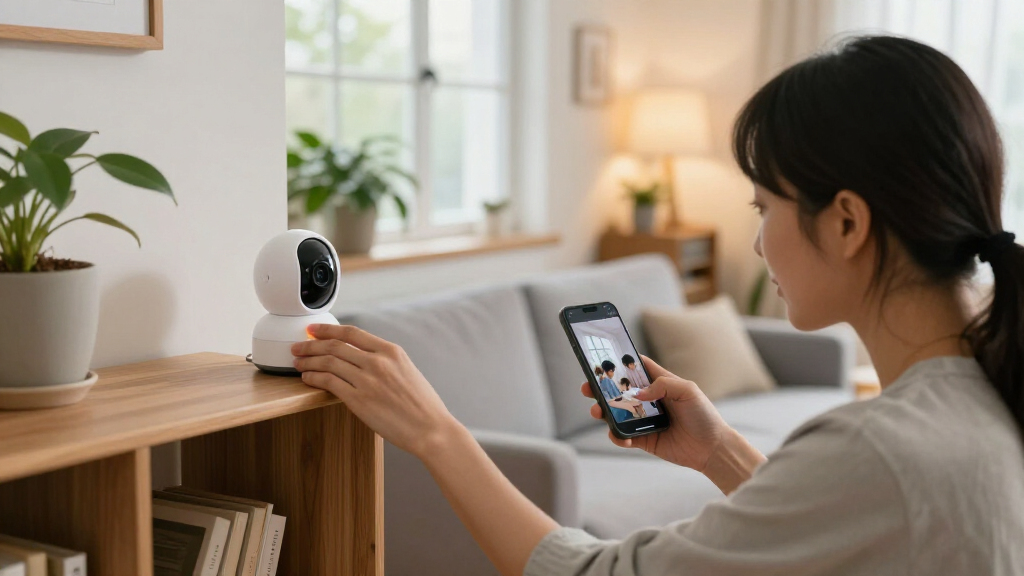

When choosing smart home security cameras, the central decision is not simply which model has the sharpest picture. It is where your recordings go and what you must pay or maintain to keep them useful. Local-storage cameras save footage to a memory card, hub, network recorder, or other device at home. Cloud-storage cameras send clips to a provider’s servers, where an app can make them available away from home.

Get home appliances delivered free with Prime
- Fast, free delivery on millions of items
- Prime Video, Amazon Music and more included
- Member-only deals all year

Blink Outdoor 4 5-Camera System and Wired Doorbell 2K+ with Sync Module Core
- ✔ Outdoor camera resolution: 1080p HD
- ✔ Doorbell resolution: 2K (1920 x 1920)
- ✔ Outdoor camera field of view: 143° diagonal
Blink Outdoor 4 Camera and Wired Doorbell 2K+ Bundle, 3 Cameras, Sync Module Core, Black
- ✔ Outdoor camera resolution: 1080p HD
- ✔ Doorbell resolution: 2K (1920 x 1920)
- ✔ Outdoor camera field of view: 143° diagonal
Blink Outdoor 4 & Wired Doorbell 2K+ Kit with Sync Module Core – 2 Cameras + Doorbell (Black)
- ✔ Outdoor camera resolution: 1080p HD
- ✔ Doorbell resolution: 2K (1920 x 1920)
- ✔ Outdoor camera field of view: 143° diagonal
That distinction shapes privacy, ongoing cost, reliability, and what happens if someone steals a camera or your internet connection fails. Local storage often suits people who want control over recordings and fewer recurring fees, but it can take more setup and may leave footage vulnerable if the storage device is damaged or taken. Cloud storage is often simpler to check remotely and can keep clips off-site, but useful recording features may depend on a subscription, internet access, and the provider’s service.
Choose local storage if you are comfortable managing a hub or recorder and value keeping footage under your control. Choose cloud storage if easy off-site access and provider-managed clip history matter more than subscription costs. Some cameras offer both; for those, check whether local recording works without a subscription and whether cloud backup is optional.
At a Glance
| Criteria | Local-storage smart home security cameras | Cloud-storage smart home security cameras | Winner |
|---|---|---|---|
| Ongoing cost | Often no mandatory monthly storage fee, though hardware and storage media add upfront cost. | Usually involves a recurring plan for longer clip history or advanced features, with plan limits to check. | A |
| Privacy and control | Footage can remain on a home device; security depends on device settings and network protection. | Recordings are held by a service provider; account security and provider policies matter. | A |
| Off-site access | May require a hub, recorder, or app connection configured for remote viewing. | Usually straightforward through the provider’s app, subject to internet access and service availability. | B |
| Internet and power outages | Can keep recording locally through an internet outage if the camera and storage device still have power. | Uploading and remote viewing generally need internet; battery or power failure can stop recording. | A |
| Protection against camera theft | Footage may be lost if the camera or its local storage is taken or destroyed. | Previously uploaded clips may remain available even if the camera is stolen. | B |
| Setup and maintenance | May require storage planning, device setup, and occasional card or drive maintenance. | Often simpler storage management, but account setup, connectivity, and plan settings still need attention. | B |
| Recording features | Features vary; some models provide useful recording without a subscription, while others reserve functions for paid plans. | Plans may bundle longer history, richer notifications, or multi-camera controls. | Depends |
Blink Outdoor 4 5-Camera System and Wired Doorbell 2K+ with Sync Module Core
For buyers who want to watch several sides of a home, this is the most complete bundle in the group. Its five Outdoor 4 cameras can cover separate approaches, a yard, or outbuildings while the 2K wired doorbell handles the front entrance. That distinction matters: rather than using every camera to watch the same area, we can assign them to different points where a visitor or movement might otherwise go unnoticed.Compared with the three-camera bundle, this setup provides two additional outdoor viewpoints, making it better suited to larger homes or more complicated layouts. The tradeoff is that the extra units add placement and battery upkeep; all five cameras use two non-rechargeable AA lithium batteries each. Blink cites up to two years under default settings, but that is not a promise for every installation or usage pattern. The outdoor cameras also record in 1080p, not the doorbell’s 2K resolution, so we should not expect equally detailed footage from every angle.The Sync Module Core, Alexa compatibility, app alerts, live view, and two-way audio make this a coherent household system rather than five isolated cameras. However, person and vehicle detection requires a separately sold Blink plan. Choose this bundle when coverage breadth is the priority and the battery routine is acceptable; skip it if only one or two outdoor views are needed or subscription-dependent detection is central to the plan.
Pros:
- Five Outdoor 4 cameras provide the widest outdoor coverage of these three bundles.
- Includes a wired doorbell with 2K video and two-way audio.
- Outdoor cameras are weather-resistant and cite up to two years of battery life under default settings.
- Sync Module Core and Alexa compatibility are included.
Cons:
- Outdoor cameras record at 1080p, below the doorbell’s 2K resolution.
- Each outdoor camera uses two non-rechargeable AA lithium batteries.
- Person and vehicle detection requires a separately sold Blink plan.
Best for: Households that want several outdoor viewpoints plus a wired 2K doorbell for a larger home, multiple entrances, or yard coverage.
Not ideal for: Buyers with a compact layout, those who want rechargeable outdoor cameras, or anyone who expects person and vehicle detection without a separate plan.
Bottom line: We recommend this bundle when broad outdoor coverage matters more than minimizing the number of cameras to maintain.
“We recommend this bundle when broad outdoor coverage matters more than minimizing the number of cameras to maintain.”
Blink Outdoor 4 Camera and Wired Doorbell 2K+ Bundle, 3 Cameras, Sync Module Core, Black
Three outdoor cameras strike a practical middle ground for homes where the front door is not the only area worth watching, but five viewpoints would be excessive. We can use the included 2K wired doorbell for the main entrance and position the 1080p cameras at a driveway, side path, or backyard. In coverage terms, this bundle sits between the broad five-camera system and the more focused two-camera kit.The shared platform means buyers do not give up the core experience by choosing fewer cameras: the bundle includes a Sync Module Core, app-based live view, night vision, two-way audio, and weather-resistant outdoor cameras. Its wired doorbell supports 12–24V AC or 24V DC power, while the Outdoor 4 units run on included AA lithium batteries. The stated outdoor battery life is up to two years based on default settings, but actual use can differ; three battery-powered devices still create a maintenance task.This is our most balanced pick for a typical multi-entry home because it adds useful coverage without going straight to the largest bundle. Compared with the five-camera system, it leaves two outdoor positions uncovered unless we add equipment later; compared with the two-camera kit, it offers more flexibility for a driveway or side access. As with the other options, smart person and vehicle detection needs a separate Blink plan. Choose it for moderate coverage, not for the highest possible image detail: the outdoor video remains 1080p while the doorbell is 2K.
Pros:
- Three outdoor cameras suit several common entry points and approaches.
- Includes the same 2K wired doorbell and Sync Module Core as the larger bundle.
- Outdoor cameras support app-based live view, night vision, and two-way audio.
- Weather-resistant cameras include AA lithium batteries.
Cons:
- Two fewer outdoor cameras than the five-camera system may limit larger property coverage.
- Outdoor cameras use non-rechargeable batteries.
- Smart detection features require a separately sold Blink plan.
Best for: Households seeking coverage for a front entrance and a few additional outdoor areas, without needing five separate camera viewpoints.
Not ideal for: Buyers who need extensive perimeter coverage, want rechargeable camera batteries, or require subscription-free person and vehicle detection.
Bottom line: We see this as the sensible middle choice for a home that needs more than a front-door camera but not a five-camera perimeter setup.
“We see this as the sensible middle choice for a home that needs more than a front-door camera but not a five-camera perimeter setup.”
Blink Outdoor 4 & Wired Doorbell 2K+ Kit with Sync Module Core – 2 Cameras + Doorbell (Black)
When a front entrance and one other outdoor area are the main priorities, the two-camera kit is the least sprawling way into this lineup. It combines two 1080p Outdoor 4 cameras with the same 2K wired doorbell found in the larger bundles. That gives us a direct view of the entry and a second angle for a driveway, side path, or backyard without needing to install and maintain three or five outdoor units.Its advantages are about fit, not extra capability. The cameras are weather-resistant, support two-way audio and Alexa, and connect through the Blink app and Sync Module Core. The Outdoor 4 units use two AA lithium batteries each, with a stated life of up to two years; the doorbell is wired for 12–24V AC or 24V DC. Compared with the three-camera bundle, we give up one outdoor viewpoint, so this option is less adaptable if the property has several access routes. It is also not a higher-resolution alternative: outdoor footage is 1080p, while the doorbell is 2K.We rank it third because its smaller camera count serves fewer layouts, not because its core system is fundamentally different. For a compact home or a buyer testing a targeted setup, that restraint can be an advantage. The limitation to understand before choosing is that person and vehicle detection requires a separate Blink subscription plan, and AA batteries are not rechargeable. Buyers who need wider perimeter coverage should step up to the three-camera bundle; those who mainly want to cover two outdoor zones can avoid installing cameras they may not use.
Pros:
- Two outdoor cameras make a compact setup easier to plan and maintain.
- Includes the 2K wired doorbell, Sync Module Core, and Alexa compatibility.
- Outdoor cameras provide 1080p video, a 143° diagonal field of view, and weather-resistant construction.
- Doorbell supports wired power and two-way audio.
Cons:
- Only two outdoor cameras provide less coverage flexibility than the three- and five-camera bundles.
- Outdoor units use AA lithium batteries rather than rechargeable packs.
- Person and vehicle detection requires a separate Blink subscription plan.
Best for: People with a smaller property or a focused plan to monitor the front door and one additional outdoor location.
Not ideal for: Households with multiple entrances or broad yard coverage to protect, and buyers seeking rechargeable batteries or plan-free smart detection.
Bottom line: We would choose this kit for a deliberate two-zone setup, but move to the three-camera bundle if another outdoor approach needs coverage.
“We would choose this kit for a deliberate two-zone setup, but move to the three-camera bundle if another outdoor approach needs coverage.”
As an Amazon Associate we earn from qualifying purchases.
Key Differences
The biggest practical split is control versus convenience. A local system can avoid a monthly storage plan and keep recordings on equipment you manage. That is attractive when you have several cameras, want predictable long-term costs, or prefer not to send routine footage to an outside service. The tradeoff is responsibility: you need to choose storage capacity, secure the device and network, and consider what happens if the recorder is stolen or fails.
Cloud systems put more of the storage work in the provider’s hands. You can commonly review saved clips from an app while away, and a recording already uploaded may survive a break-in that takes the camera. That convenience is not automatic in every situation: cloud recording depends on a working internet connection, a compatible plan, and the provider continuing to support the service. Subscription costs can add up across multiple cameras, so compare the total over the period you expect to use the system rather than judging by the camera’s purchase price alone.
The best choice depends on what a recording must do for you. If you mainly want a live view and local event clips, and you are willing to maintain storage, local can be the better value. If you need reliable access to clips while away, want recordings stored off-site, or prefer a guided app experience, a paid cloud plan may be worth the recurring expense. Hybrid cameras can reduce the conflict, but only if their local recording remains useful without a subscription.
Detailed Comparison
Ongoing cost (Local-storage smart home security cameras wins — moderate)
Local storage wins, usually by a moderate margin. A memory card or recorder costs money upfront, but it may avoid a recurring fee for basic footage storage. Over several years or across multiple cameras, avoiding monthly plans can make local storage less expensive. Cloud plans may still be good value if they include useful extras, but check whether each camera needs its own plan, how long clips are kept, and whether key functions stop when you cancel.
Privacy and control (Local-storage smart home security cameras wins — moderate)
Local storage wins by a moderate margin for users who want fewer recordings sent off-site. Keeping footage on a home hub or recorder can give you direct control over retention and access. It does not make a system automatically private: weak passwords, exposed network settings, or an unsecured recorder can still create risk. Cloud storage requires trusting the provider’s security practices, account protections, and data policies. For people who prioritize minimizing third-party access, local is the clearer fit.
Off-site access (Cloud-storage smart home security cameras wins — moderate)
Cloud storage wins by a moderate margin. Its app-based access is typically designed for checking clips while away, without the owner having to configure a separate recorder for remote viewing. Local systems can offer remote access too, but the experience varies with the hub, router, and setup. If you regularly travel or need to share saved clips with household members, cloud is often the simpler route. If you only review footage at home, the difference matters less.
Internet and power outages (Local-storage smart home security cameras wins — moderate)
Local storage wins by a moderate margin during internet outages, provided the camera and recorder still have power. A camera that records directly to a memory card or local hub may continue saving events when a broadband connection drops. Cloud cameras generally cannot upload new recordings without internet, although specific models may offer local backup. Neither approach helps if the camera loses power, so check battery backup or power design separately rather than assuming storage type solves every outage.
Protection against camera theft (Cloud-storage smart home security cameras wins — major)
Cloud storage wins by a major margin when clips have uploaded successfully. A thief can take a camera or its nearby card, potentially removing local footage along with it. A cloud copy stored off-site is less exposed to that same physical loss. The advantage depends on the camera having internet access and enough time to upload the event; a disconnected or interrupted device may not save the clip remotely. If theft evidence is a priority, consider cloud backup or a hidden recorder rather than relying on a camera-mounted card alone.
Setup and maintenance (Cloud-storage smart home security cameras wins — minor)
Cloud storage wins by a minor margin for most beginners. A provider-managed service usually removes the need to choose drives, manage local capacity, or replace a failing storage device. Owners still need to connect cameras, secure accounts, and understand plan settings. Local systems can be straightforward when recording to a card, but hubs and network recorders add hardware and configuration. Experienced users may find local maintenance a reasonable exchange for control; first-time buyers often prefer a simpler managed app.
Recording features (moderate difference)
There is no universal winner; it depends on the camera and plan. Some local-storage models offer event recording and useful playback without a paid tier. Other brands restrict detection, clip history, or notifications unless you subscribe. Cloud plans may bundle longer history and advanced alerts, but the limits differ by provider. Compare the exact functions included at purchase and after cancellation. A low-cost camera is poor value if the feature you need is locked behind a fee you did not budget for.
Local-storage smart home security cameras: Pros and Cons
Pros:
- Can reduce or avoid recurring storage fees.
- Keeps recordings on equipment you manage rather than routinely uploading them to a provider.
- May continue recording locally during an internet outage.
- Can offer better long-term value for homes with several cameras.
Cons:
- Local storage can be stolen, damaged, or run out of space.
- Remote playback may take more setup than a provider’s cloud app.
- The owner has more responsibility for storage hardware and network security.
- Some brands still reserve important features for a paid plan.
Cloud-storage smart home security cameras: Pros and Cons
Pros:
- Saved clips can remain accessible if a camera is removed or damaged.
- Usually offers convenient app access to recordings away from home.
- Provider-managed storage reduces the need to maintain drives or cards.
- Plans may bundle longer clip history and advanced notifications.
Cons:
- Recurring fees can raise the total cost over time, especially with multiple cameras.
- New clips generally depend on internet access and provider availability.
- Footage is held by an outside service, so account security and data policies matter.
- Plan limits or cancellation may remove storage history or advanced functions.
Who Should Choose What
Choose Local-storage smart home security cameras if:
- You want to avoid monthly storage charges and are willing to buy and manage local storage.
- You prefer recordings to stay on a device in your home when practical.
- You want cameras to keep recording through an internet outage, assuming power remains available.
- You have several cameras and expect subscription costs to add up.
Choose Cloud-storage smart home security cameras if:
- You regularly need to check saved clips while away and want a straightforward app experience.
- You want off-site copies that may survive camera theft or physical damage.
- You would rather pay for managed storage than configure and maintain a recorder.
- The provider’s subscription includes specific alert or history features you will use.
Skip both if: Skip internet-connected cameras if you cannot accept the privacy or service dependency of connected devices, or if your property needs a professionally monitored alarm rather than self-managed video recording.
Value for Money
Local storage is generally the better value when it covers your needs without a monthly plan. Its advantage grows with time and camera count, but it is not free: include the price of a hub, card, drive, replacements, and your time managing the system. A simple card-based setup may be inexpensive; a multi-camera recorder can require a larger upfront purchase.
Paying for cloud storage is worthwhile when off-site clip access, retained footage after camera theft, or bundled alerts solve a real need. It is less compelling when you only want occasional live viewing or basic event clips and the camera already records locally. Before buying, compare the full cost across the years you expect to keep the system, read what happens to recordings after cancellation, and check whether the plan covers every camera. A dual-storage model can be a good middle ground only if local recording remains functional on its own.
Final Verdict
For most cost-conscious households that want basic event recording and are comfortable managing a card or hub, choose local-storage cameras. They offer more control and can keep long-term costs down, with the main sacrifice being extra setup and weaker protection if the storage device is taken. Choose cloud cameras if easy access away from home and an off-site copy matter more than recurring fees; paying more makes sense when those benefits match how you use the system.
The deciding question is what you need a saved clip to survive. If the answer is an internet outage, local recording has the advantage when the hardware remains powered. If the answer is a stolen camera, cloud backup has the advantage once footage has uploaded. Check the individual camera’s subscription rules before purchasing, because storage labels alone do not tell you which features are included. If neither setup meets your privacy or reliability requirements, skip both and look at a professionally installed security system or a non-connected recorder.
Frequently Asked Questions
Are local-storage security cameras better than cloud cameras?
Neither is better for everyone. Local storage is usually preferable for controlling footage and avoiding ongoing storage fees. Cloud storage is usually better for convenient remote playback and keeping uploaded clips away from the camera. Choose based on which benefit matters more in your home.
Can a local-storage camera record without internet?
Many cameras with a memory card or local recorder can save footage during an internet outage, as long as the camera and storage device have power. Remote viewing and notifications may stop until the connection returns. Confirm that the specific model records locally without a subscription.
Does cloud storage protect footage if a camera is stolen?
It can protect clips that reached the provider’s servers before the camera was taken or disabled. It cannot guarantee a copy of an event if the camera had no connection or was interrupted before uploading. For stronger protection, check upload behavior and consider a system with both local recording and cloud backup.
Are security camera subscriptions worth paying for?
They are worth paying for when you use features such as longer clip history, convenient remote playback, or advanced alerts. They may not be worth it if you only need live viewing or local event clips. Compare the plan’s camera limits and cancellation rules against the total cost of keeping it for several years.
Fall Picks
fall essentials
As an affiliate, we earn on qualifying purchases.