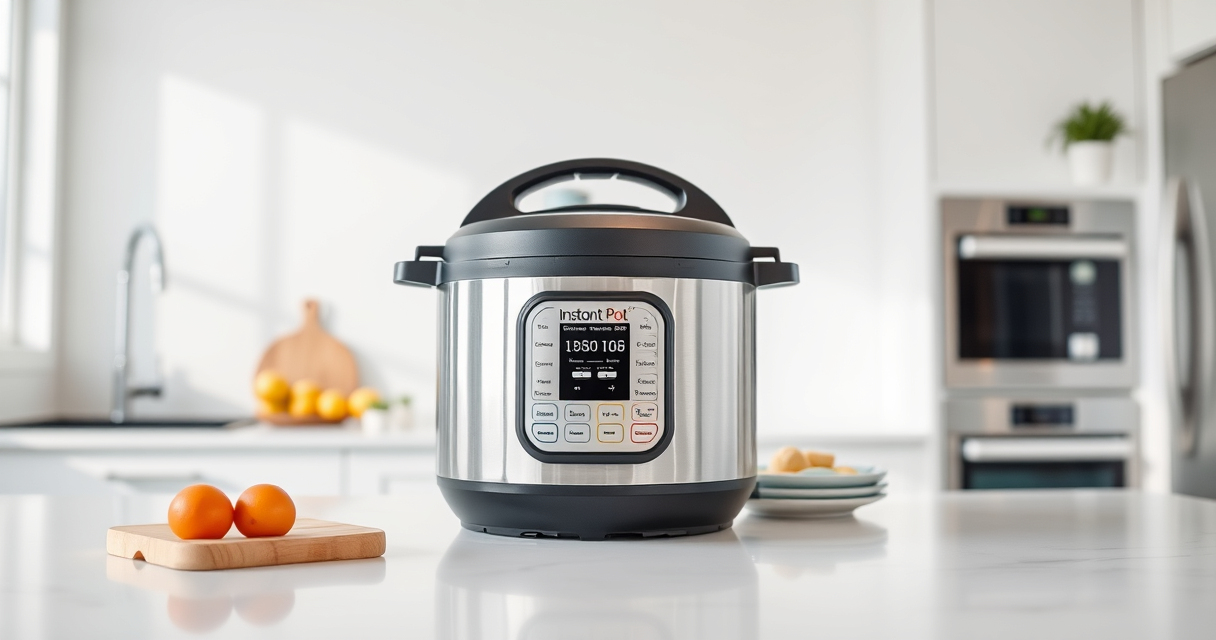

If your Instant Pot keeps displaying a burn error, it can be frustrating and disruptive to your cooking. This common issue often occurs due to food sticking to the bottom or insufficient liquid. Fortunately, with some simple troubleshooting, you can resolve this problem and get back to preparing delicious meals with confidence.

Get home appliances delivered free with Prime
- Fast, free delivery on millions of items
- Prime Video, Amazon Music and more included
- Member-only deals all year
In this guide, we’ll walk through practical, step-by-step solutions to fix a burn error safely and effectively, ensuring your Instant Pot operates smoothly and continues to deliver fast, tasty results.
Key Takeaways
| Check for Food Stickage | Food sticking to the bottom can trigger the burn message. |
| Ensure Adequate Liquid | Insufficient liquid can cause overheating and burning. |
| Clean the Bottom | Residue or stuck food can interfere with proper heating. |
| Use Proper Cooking Techniques | Avoid overfilling and stirring during pressure cooking. |
Step 1: Turn Off and Release Pressure
- Press the ‘Cancel’ button to turn off the Instant Pot.
- Carefully release the pressure using the quick release method, following your model’s instructions.
- Open the lid once the pressure is fully released.
Step 2: Inspect and Clean the Inner Pot
- Remove the inner pot and check the bottom for food residue or burn marks.
- Gently scrub the bottom and sides with a soft sponge or cloth, avoiding abrasive cleaners.
- Check the sealing ring and lid for any debris or residue that could affect sealing or heating.
Step 3: Add Adequate Liquid & Adjust Ingredients
Ensure there is enough liquid in the inner pot—generally at least 1 to 1.5 cups, depending on your recipe. This prevents the food from burning and helps generate sufficient steam.
If cooking thicker or stickier foods, consider adding a bit more liquid or oil to prevent sticking.
Step 4: Reset and Restart Cooking
- Secure the lid properly, ensuring the sealing ring is correctly in place.
- Set the cooking program again, making sure to select the appropriate time and pressure level.
- Monitor the first few minutes of cooking to ensure the burn message does not reappear.
Tips and Warnings
- Tip: Avoid overfilling the inner pot—stick to the maximum fill line.
- Warning: Never force open the lid while the cooker is still under pressure.
- Tip: Regularly check and replace the sealing ring if it becomes cracked or deformed.
- Warning: Do not use abrasive cleaners or metal brushes on the inner pot or lid.
The Products in This Guide

Instant Pot 4QT RIO Mini 7-in-1 Multi-Cooker
- ✔ Weight: 8 lbs
- ✔ Dimensions: 11 x 11 x 11 inches
- ✔ Warranty: 1 year

AOZITA Steamer Basket
- ✔ Weight: 1.2 lbs
- ✔ Dimensions: 9 x 9 x 4 inches
- ✔ Compatibility: 6 & 8 qt models
Instant Pot 4QT RIO Mini 7-in-1 Multi-Cooker
The Instant Pot 4QT RIO Mini 7-in-1 Multi-Cooker is a versatile, space-saving appliance ideal for small households or limited kitchens. Its multiple functions include pressure cooking, slow cooking, sautéing, steaming, rice making, yogurt, and warming, providing great value in a compact size.
Pros:
- Space-efficient design
- 7 versatile cooking functions
- Easy to clean
- Monitoring at a glance
Cons:
- Limited capacity for larger families
- Slight learning curve for new users
- No built-in timer for delayed start
Best for: Small families, students, single servings
Not ideal for: Cooking for large groups or bulk meal prep
Bottom line: A compact, multi-functional cooker perfect for small-scale meals and limited kitchen space.
AOZITA Steamer Basket
The AOZITA Steamer Basket adds extra versatility to your Instant Pot, allowing you to cook multiple dishes simultaneously while keeping foods well-separated. Its stainless steel mesh and stackable design make meal prep more efficient.
Pros:
- Two-tier stackable design
- Stainless steel construction
- Compatible with 6 and 8 qt models
- Easy to clean
Cons:
- Requires additional space inside the pot
- May need to adjust for smaller models
- Handle may get hot during use
Best for: Cooking vegetables, seafood, or multiple dishes at once
Not ideal for: For use as a sole cooking tool without other accessories
Bottom line: A practical accessory to maximize your Instant Pot’s versatility for multi-dish cooking.
Frequently Asked Questions
Why does my Instant Pot keep showing a burn error?
It usually occurs due to food sticking to the bottom, insufficient liquid, or the inner pot being dirty. Proper cleaning and adding enough liquid often resolve this.
How much liquid should I add to avoid the burn error?
Typically, add at least 1 to 1.5 cups of liquid, depending on the recipe and food type, to ensure proper pressure and prevent burning.
Can I still use my Instant Pot if it keeps giving a burn message?
Yes, but you should troubleshoot the cause—clean the pot, check the ingredients, and ensure you’re following the recommended liquid levels to avoid damage.
Master Your Instant Pot and Prevent Burn Errors
By following these troubleshooting steps, you can quickly identify and fix the burn error on your Instant Pot, ensuring safe and successful cooking every time. Regular maintenance and proper ingredient placement will help keep your appliance running smoothly and extend its lifespan. Happy cooking!
Affiliate disclosure: As an Amazon Associate we earn from qualifying purchases. Prices and availability are accurate as of the time of publishing.
Fall Picks
fall essentials
As an affiliate, we earn on qualifying purchases.