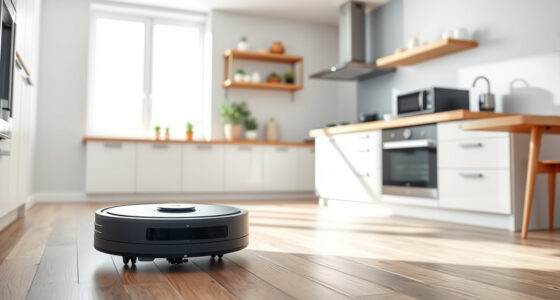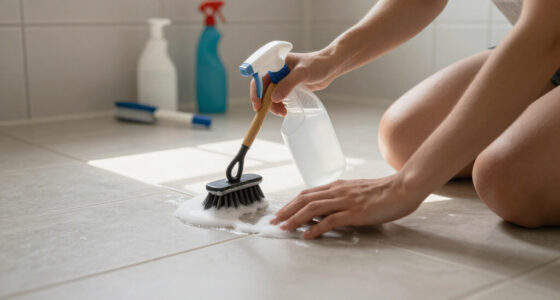
Maintaining your Roborock Q7 M5+ Robot Vacuum and Mop is essential to ensure it operates efficiently and prolongs its lifespan. Regular cleaning and troubleshooting can prevent common issues such as reduced suction, navigation errors, or cleaning inefficiencies. This comprehensive guide will walk you through the necessary maintenance steps, offer troubleshooting tips, and help you keep your robotic cleaner in top condition.

Get home appliances delivered free with Prime
- Fast, free delivery on millions of items
- Prime Video, Amazon Music and more included
- Member-only deals all year
Whether you’re a new user or a seasoned owner, understanding how to properly care for your Roborock can save you time and money. From cleaning filters and brushes to resolving navigation hiccups, this guide covers all the practical steps you need to keep your vacuum running smoothly.
Key Takeaways
| Filter Care | Wash or replace filters regularly for optimal suction. |
| Brush Maintenance | Clean the main brush and anti-tangle systems to prevent hair build-up. |
| Sensor & Navigation | Keep LiDAR sensors and cameras clean for accurate mapping. |
| Empty Dustbin | Check and empty the dust bag, especially after long cycles. |
| Troubleshooting | Identify and fix common issues with simple steps. |
Step 1: Regularly Clean the Dustbin and Filters
- Open the dustbin compartment and remove the sealed dust bag. For the Roborock Q7 M5+, the 2.7L bag reduces the frequency of emptying, but it’s still important to check for clogs or debris.
- Inspect the filter inside the dustbin. If using the optional washable filter (asin=B0DK99HTQ7), remove and rinse it under water. Allow it to dry completely before reinstalling.
- Replace the filter if it shows signs of damage or excessive wear. For best performance, replace filters every 3-6 months depending on usage.
Tip: Keep the sealing edges of the dustbin clean to prevent dust escaping during emptying.
Step 2: Clean the Main Brush and Anti-Tangle System
- Remove the main brush by releasing the quick-release latch. Carefully pull out the brush and check for hair or fibers tangled around the axle.
- Use a cleaning tool or scissors to trim away any hair or debris. For pet owners, the Dual Anti-Tangle System effectively reduces hair tangling, but regular inspection is still recommended.
- Wipe the brush and the surrounding area with a damp cloth to remove dust and dirt.
- Reinstall the brush securely before running the vacuum again.
Tip: Clearing hair from the side brushes and wheels will also improve navigation and suction performance.
Step 3: Clean the Sensors and LiDAR Navigation System
- Use a soft, dry cloth to gently wipe the PreciSense LiDAR sensor and other sensors located on the top and sides of the robot.
- Avoid using harsh chemicals or water, which can damage sensitive components.
- Check for dust or blockages on the sensors and clear them to ensure accurate mapping and obstacle detection.
- Regular cleaning of sensors helps prevent navigation errors and ensures thorough cleaning coverage.
Tip: Perform sensor cleaning after every few uses, especially if the robot has difficulty navigating or misses spots.
Step 4: Maintain the Mop and Replace Mop Pads
- If your model includes a mopping function, remove the microfiber mop pads and inspect them for dirt or wear.
- Wash reusable mop pads (asin=B0GT92FL9H) in the washing machine and air dry thoroughly before reuse.
- Replace mop pads every 1-3 months for consistent mopping performance. Use the compatible 8-pack for best value.
- Ensure the mop cloth is properly attached before starting a mopping cycle.
Tip: Regularly check the water tank and clean it to prevent mold or mineral buildup, which can affect mopping effectiveness.
Troubleshooting Common Issues
- Reduced Suction Power: Check and clean the filter, dustbin, and main brush. Replace filters if necessary.
- Navigation Errors or Obstacle Avoidance Failures: Wipe sensors and LiDAR, remove any debris blocking the sensors.
- Robot Not Returning to Dock: Ensure the charging dock is unobstructed and clean the charging contacts on both the dock and robot.
- Clogged Water Tank or Mop: Clean the water tank regularly and replace mop pads as needed.
The Products in This Guide

roborock Q7 M5+ Robot Vacuum and Mop
- ✔ Weight: 8.8 lbs
- ✔ Charging Time: Approx 6 hours
- ✔ Noise Level: 65 dB

4 Pack Washable Filter
- ✔ Weight: 0.3 lbs per filter
- ✔ Dimensions: 3 x 3 x 0.5 inches
- ✔ Material: HEPA filter media
roborock Q7 M5+ Robot Vacuum and Mop
The Roborock Q7 M5+ offers powerful suction, a self-emptying dust bag, and advanced navigation with PreciSense LiDAR. Its dual anti-tangle system makes it pet-friendly and easy to maintain.
Pros:
- Powerful 10000Pa suction
- Up to 9 weeks of self-emptying
- Efficient pet hair management
- App control for customization
Cons:
- Higher upfront cost
- Bulky dust bag may need replacement
- Requires regular sensor cleaning
Best for: Pet owners and busy households seeking low-maintenance cleaning
Not ideal for: Users preferring lightweight, minimalistic robots
Bottom line: Roborock Q7 M5+ delivers efficient, self-emptying cleaning with powerful suction, ideal for pet owners and larger homes.
4 Pack Washable Filter
This 4-pack washable filter is compatible with multiple Roborock models, including the Q7 and Q5 series, ensuring your vacuum maintains peak suction without frequent filter replacements.
Pros:
- Cost-effective over time
- Effective HEPA filtration
- Reusable and washable
- Easy to install
Cons:
- Requires cleaning every few months
- Not OEM, but high quality
Best for: Owners seeking durable, eco-friendly filters
Not ideal for: Those preferring OEM parts for guaranteed fit
Bottom line: A cost-effective, washable HEPA filter complementing your Roborock for cleaner air and longer-lasting performance.
Frequently Asked Questions
How often should I clean the main brush?
Inspect and clean the main brush weekly if you have pets or high debris accumulation. Remove tangled hair and debris to maintain suction and navigation.
Can I use any filters with my Roborock?
Use only filters compatible with your model, such as the 4 Pack Washable Filter (asin=B0DK99HTQ7) for optimal performance and fit.
What should I do if my robot is not charging?
Check the charging contacts on both the robot and dock for dust or debris. Ensure the dock is unobstructed and plugged in properly.
How do I troubleshoot navigation issues?
Clean the LiDAR sensor and sensors with a soft cloth, remove any obstacles blocking the sensors, and restart the robot to recalibrate.
How often should I replace mop pads?
Replace reusable mop pads every 1-3 months for effective mopping, depending on usage and dirt level.
Keep Your Roborock Running Like New
Proper maintenance of your Roborock Q7 M5+ is key to ensuring it continues to deliver powerful cleaning and reliable navigation. Regularly cleaning filters, brushes, sensors, and replacing mop pads as needed can prevent many common issues. If problems persist, troubleshooting steps such as cleaning sensors or checking for blockages can often resolve the issue without professional repair. By following these simple steps, you can extend the lifespan of your vacuum and enjoy a consistently clean home with minimal effort.
Affiliate disclosure: As an Amazon Associate we earn from qualifying purchases. Prices and availability are accurate as of the time of publishing.
NFL season / tailgating Picks
team gear
As an affiliate, we earn on qualifying purchases.