TL;DR

Get home appliances delivered free with Prime
- Fast, free delivery on millions of items
- Prime Video, Amazon Music and more included
- Member-only deals all year
A Matter Alpha how-to report describes adding a Govee COB light strip to IKEA’s YXSTABY gaming side table using 3D-printed fixtures fitted into existing screw holes. The setup avoids drilling and permanent furniture changes, and lets users control basic lighting through Matter-compatible platforms.
Matter Alpha has published a DIY guide to adding smart lighting inside IKEA’s YXSTABY gaming side table without drilling into the furniture. The reported setup uses a Govee COB Strip Light 2 Pro and small 3D-printed fixtures that fit into existing screw holes, with Matter support for basic controls through compatible smart-home platforms.
The guide’s author says the table’s enclosed storage area is dark and uses a light strip to add illumination and ambient color. Rather than relying on the strip’s adhesive backing, the author designed two types of fixtures to hold it in place: four for upper mounting points and four for lower ones. The fixtures use existing holes in the table, so the described installation does not require new drilling, glue or extra screws.
The fixtures are available as print files on MakerWorld, according to the report. The author printed them in translucent PETG and says PLA may also work, though the fit could vary. The project requires access to a 3D printer and is described as easy to moderate; it does not require soldering. The guide recommends supports when printing the parts.
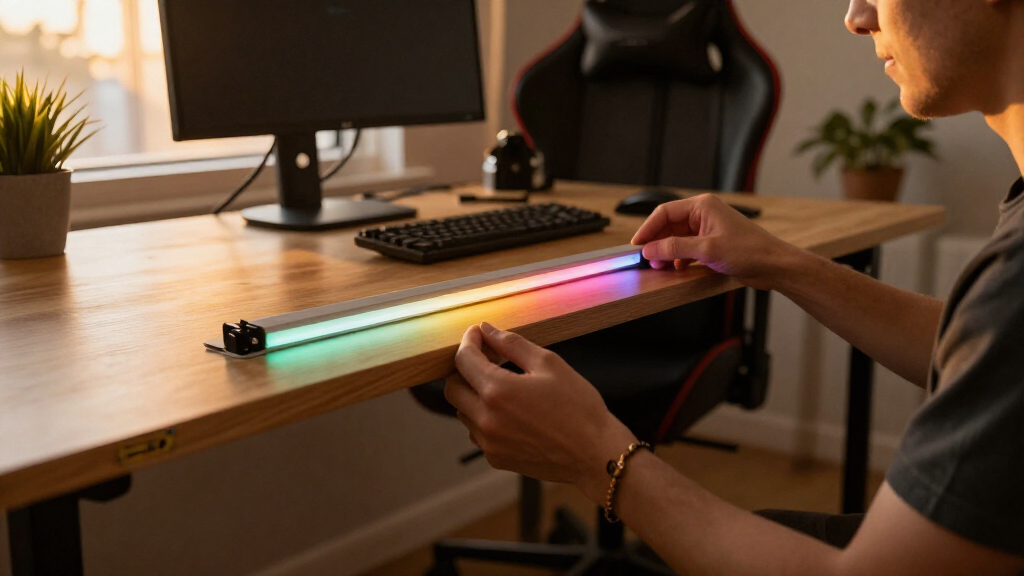
For installation, the report says to route the strip around the table’s lower and upper mounting points, avoiding sharp bends. The unused strip is cut only at the product’s designated marks, with power disconnected first; the report warns that the removed section cannot be reconnected. The cable is routed through a hole in the table’s bottom panel. After setup, users can pair the light with a Matter-compatible platform, such as Apple Home, Home Assistant or SmartThings. The report says Matter provides basic control of power, brightness and color, while Govee’s app provides additional effects and animation settings.
A Reversible Lighting Upgrade
The project offers a way to add smart lighting to a gaming table without drilling or making permanent changes to the furniture. That may appeal to owners who want to illuminate stored accessories or add color to a gaming space while keeping the table’s original structure intact.
It also illustrates a practical distinction between Matter controls and manufacturer-app features. The guide says core lighting functions can be managed through a compatible smart-home platform, but more elaborate effects remain in Govee’s app. The setup therefore adds cross-platform control without claiming that every feature is available through Matter.
Products Worth Considering

TCL 43-Inch 4K UHD Smart LED Roku TV (43S435, 2021 Model)

Philips Hue Bridge Pro Starter Kit with 4 A19 E26 Smart Bulbs

Philips Hue Smart Light Starter Kit with Bridge and 4 White and Color A19 Bulbs
As an affiliate, we earn on qualifying purchases.
How the Table Mounting Works
IKEA’s YXSTABY collection was developed with Xbox, and the report focuses on its gaming side table. The author identifies the table’s enclosed storage as the reason for adding a light strip, rather than describing a change to the table’s electronics or structure.
The guide says assembly is easier if the installer pauses before fitting the bottom panel and feet, leaving room to access the mounting points. Owners who have already assembled the table can still install the fixtures, but may need to move the sliding panel to reach them. The guide also advises checking the bottom panel’s orientation so its cable-routing hole is at the back.
““without drilling extra holes or making permanent changes to the furniture””
— Matter Alpha report
Fit and Feature Limits
The supplied report does not provide independent testing of the installation, long-term durability results or measurements of how much light reaches the storage area. It also does not state the final strip length or whether the printed fixtures fit every YXSTABY table without adjustment.
Compatibility may depend on the user’s setup. The guide lists Matter-compatible platforms but does not detail pairing steps for each one or identify any platform-specific limits. It says advanced effects are handled in Govee’s app, but the supplied material does not specify which effects, if any, can be exposed to other smart-home systems. The report also mentions optional motion-sensor and energy-monitoring accessories without describing a tested automation using them.
Check Fit Before Cutting
Anyone following the project can download the fixture files, print a test set and check the fit in the table’s existing holes before installing or cutting the light strip. The report advises disconnecting power before trimming and cutting only at the strip’s marked points. After installation, users can pair the light with their chosen Matter platform and use the Govee app to recalibrate the strip length and set up effects.
The supplied material does not announce a product release or a follow-up test. Any further guidance on fit variations, platform support or long-term performance would depend on additional reporting or user testing.
Key Questions
Does the installation require drilling into the IKEA table?
No. The guide uses 3D-printed fixtures fitted into existing screw holes and says it makes no new holes or permanent changes.
What equipment does the project require?
The reported setup uses the IKEA YXSTABY gaming side table, a Govee COB Strip Light 2 Pro, a 3D printer and filament, plus a Matter-compatible smart-home platform. A motion sensor and energy-monitoring smart plug are listed as optional.
Can the lights be controlled through Matter?
According to the report, Matter-compatible platforms can control power, brightness and color. The Govee app provides additional lighting effects and animations.
Can the light strip be shortened?
The guide says it can be cut at the strip’s designated cutting marks, with power disconnected first. It warns that the removed portion cannot be reconnected and recommends recalibrating the strip length in the Govee app afterward.
Source: matteralpha.com